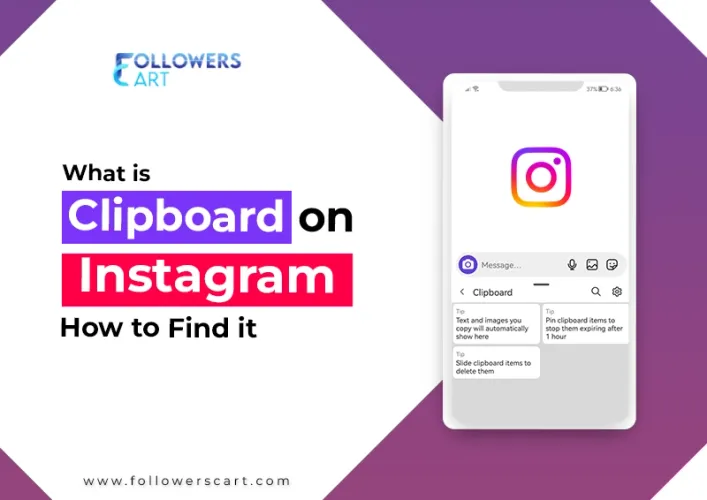
Instagram is a platform where you share stories and images. The more amazing posts you share, the more views you can generate. Sometimes, you don't have any content ready, but you can make the most of other fantastic internet content to keep up with your post consistency. For this purpose, you can copy text or image from another platform and paste them using Instagram's clipboard a built-in shortcut for reusing text and images you've copied elsewhere.
Now the question is: What is the clipboard on Instagram?
The Instagram clipboard isn't a feature built into the app itself, it's your phone's own clipboard, the same one every app on your device shares. When you copy text or an image from Facebook, a browser, or anywhere else, your phone holds onto it temporarily so Instagram (or any app) can retrieve it. Instagram simply gives you a quick way to access that copied material while you're writing a caption or building a Story.
How to Use the Clipboard on Instagram
Using the clipboard on Instagram is straightforward. You need to click and hold the text area for one second, and a clipboard will appear. It will showcase your available copied files and images. You can pick either an image or text from these available file databases when planning to post a story on Instagram. However, when you create a new post, you can only paste copied text from somewhere else; you can't paste an image in your Instagram post.
How to Access Clipboard on Instagram?
Do you want to get access to a clipboard? It's possible to have this access through two methods.
Method #1: Post Sharing Page
You can access an Instagram clipboard when you make a new post. Here is what you need to do.
- First of all, copy material like text or image from an online website.
- Go to Instagram, click on the plus icon, and go to your gallery.
- Pick an image from your gallery and click on Next.
- You can choose some filters for your image or click NEXT.
- Once you reach the New Post Page, you will get the option "Write a caption."
- Click on this part and hold it with your finger for a second.
- It's the time when you can see clipboard, tap on it, and you will be able to see many files.
Method#2: Story Sharing Page
How to Find a Clipboard on Instagram? Another way to access a clipboard is to go to the Story sharing page. This option lets you copy and paste both text and media files. Here is what you need to do.
- Go to a website, copy an image or text from there.
- Go to Instagram.
- Swipe right to get to the camera option.
- Click on the gallery button(bottom left side) from the camera page.
- Pick an image.
- Click on the Aa button on the upper right side.
- You will see a text entry box, tap and hold on to it for a second.
- The clipboard button will appear; now choose a material you copied.
- Paste it into the text entry box.
- Even you can select an image that will appear on the photo that you already select. You would be able to change the size of that new image and create a story with a pasted snapshot.
Where's the Clipboard on the iPhone?
When you want to paste copied material on the iPhone, you will follow the methods mentioned above. Both will let you access the clipboard on the iPhone. To access the clipboard on an iPhone, you need to click and hold a text field for a second, and you can see a copied file that you can paste into the text box. You should know that, unlike android phones where you can copy any text or media files, you won't save so many copy files on your iPhone. You can access only one recent reproduced material from any platform. You can access only one recent reproduced item from any platform. That's because iOS only holds one clipboard item at a time copying something new overwrites whatever was there before.
Where is my Clipboard on Instagram?
You can access clipboards on Instagram when you either create a post or a new story. There is no direct menu option to get access to all the files that you have copied. Story and post sharing pages are two places where you can easily find clipboards on Instagram.
Wrap Up
If you want to find a clipboard on your device to copy/paste some material, it will only be accessible through the story or post sharing page. There is no physical location where you can check all the items you have copied so far. I hope you have got a complete grasp of the concept of what is Clipboard on Instagram. Follow this guide and find Clipboard on your smartphone and start sharing some remarkable stories and images on your Instagram. And, if you are interested to buy Instagram followers you can visit Followers Cart.
FAQ
Does Instagram have a visible clipboard folder I can browse?
No, There's no menu or screen that lists everything you've copied. Instagram only surfaces the most recent item when you tap and hold a text field.
Can I paste a copied image into an Instagram feed post caption?
No, feed post captions only accept pasted text. Images from your clipboard can only be added while building a Story.
Why does my iPhone only remember one copied item?
iOS stores a single clipboard entry at a time. Copying something new replaces the previous item automatically.
 Trending Services