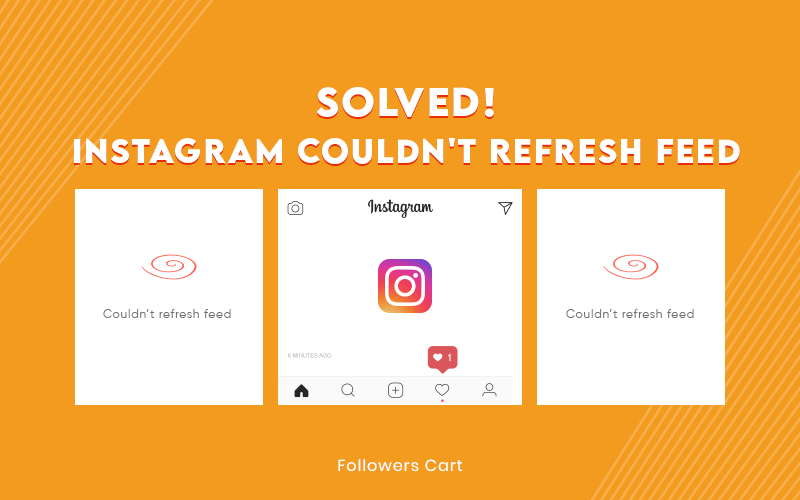
You swipe on Instagram, scroll your feed down, and instead of seeing new posts, all you see is a tiny message saying "Couldn't refresh feed." No new posts. Frozen stories. You begin tapping twice with your finger nervously. If you have found this page because the Instagram feed is not loading, then don't worry because you're definitely not alone.
Such a notification appears when the app cannot fulfill its background request for pulling new content, which may be caused by a poor internet connection, cache issues, and sometimes by problems with Instagram servers. Sometimes it's due to Instagram, and sometimes it's due to a setting on your device you didn't know about.
This guide is for anyone dealing with an Instagram feed won't refresh moment right now, on Android or iPhone, and wants a clear answer instead of a guessing game: is this an Instagram refresh problem on their side, is it your account, or is it just your Wi-Fi being difficult again? We'll walk through why it happens, 15 fixes ranked by how likely they are to actually work, and what to do if nothing on this list solves it.
What Does "Couldn't Refresh Feed" Actually Mean?
Once Instagram is opened, a request is automatically sent to Instagram servers, basically saying "tell me what’s new since my last visit". It gets routed through your internet connection, processed via the Instagram API, and a bunch of content is returned for you to see. Your Instagram feed error occurred because that process got messed up somewhere in between. It could be:
-
An API request that timed out or failed silently
-
The app failing to load new content because of a local glitch, not a server one
-
A network interruption between your device and Instagram
-
A server-side hiccup on Instagram's end
-
Something specific to your account, like a temporary restriction
None of these are permanent by default. The trick is figuring out which bucket you're in, because the fix for a weak Wi-Fi signal is completely different from the fix for an account flag. One quick scope note: everything here applies to the mobile app. If you split your time between your phone and a laptop, keep in mind that posting multiple photos on Instagram from a PC runs on a different workflow entirely and doesn't hit this same refresh error.
Why Can't Instagram Refresh Feed? Every Modern Cause, Grouped
Your Connection Is the Weak Link
This is easily the most likely cause of the problem of why can't Instagram refresh feed. This could be a poor Wi-Fi signal, a sluggish connection on your mobile data, the use of a proxy server being used by the app that Instagram is purposely limiting, or the disabling of background data for the application.
The App Itself Is Glitching
Cache files always accumulate as you use the Instagram application, like any other application, and with time, corruption happens in those cache files. Instead of speeding up your process, it starts to block everything. Along with this, a problem with the app version, which may be out of date or have a bug introduced by an update or a corrupt installation, and you have the the Instagram feed stuck. If you haven't looked into clearing Instagram's cache recently, this is where it ends.
Your Account Might Be Flagged
Instagram will monitor any strange behavior, such as a burst of following or liking or commenting all of a sudden, and will place a temporary limitation, which means Instagram will secretly interrupt the feed loading process. The logout from the account without you being aware of it or any problem noticed by Meta's Account Center may cause the same problem.
Your Phone, Not the App, Is the Problem
Incredibly enough, even your phone’s settings when it comes to date and time are crucial in this case. If your device shows incorrect time, then there is a chance that Instagram won’t process your upload at all because of wrong timestamping. Lack of space, outdated OS, or general incompatibility of your phone could be the reason as well.
Instagram Lite and Older Devices
Since you are using Instagram Lite, one must consider that it is a light version created for environments with low internet connection, which means that there will be times when feed refresh does not work the way it works on the full app. Add to that the old device that cannot cope with the regular Instagram updates, and refresh errors become more frequent.
Instagram's Own Servers Are Down
Sometimes it’s really Instagram itself! Servers can go down, and if they do, then thousands of users will receive the same message at once. This is the only reason for which you won’t be able to do anything on your side, regardless of how much you try to troubleshoot your phone.
Is Instagram Down, or Is It Just You?
Before you touch a single setting, spend thirty seconds ruling this out. It'll save you from clearing your cache for nothing.
-
Check Downdetector for a spike in reports around your area
-
Search X (formerly Twitter) for "Instagram down" outages; the trend will show up almost instantly
-
Text a friend on a different network and ask if their feed is loading
-
If it's widespread, the only real fix is waiting it out
15 Fixes for Instagram Couldn't Refresh Feed (Android & iPhone)
Work through these roughly in order. The first few resolve the majority of cases; the later ones are for the stubborn stragglers.
Fix 1: Check If Instagram Is Actually Down
It is because it eliminates the only reason that cannot be controlled. You can try this by using Downdetector, searching for X, or even contacting your friend on a different carrier. You will soon realize that there is indeed a problem, and all you need to do is just wait.
Fix 2: Switch Networks
This solution works since it determines whether your network connection is causing the issue. To execute the fix, switch from Wi-Fi to mobile data or the other way around, and then try reloading the page. If it comes up right away, your original network is causing the problem.
Fix 3: Restart the App
Clears the process that may have been hanging during a request. Begin by swiping Instagram off your recent apps and opening it again. This is indeed a solution for random problems about half the time.
Fix 4: Force Stop the App
It can prove to be an effective method, as a complete restart flushes out much more than just a swipe away. This can be done by going to Settings > Apps > Instagram > Force Stop. It will resolve persistent freezes that a quick restart didn't touch.
Fix 5: Clear Instagram's Cache (Android)
Broken cache files have been among the most frequent causes of an "Instagram couldn't refresh feed fix" search. You simply have to open Settings > Apps > Instagram > Storage > Clear Cache. Instagram creates a new cache after the next launch of the application, and feed loading becomes normal again.
Fix 6: Offload the App (iPhone)
iOS does not allow for cleaning out the cache; however, offloading will accomplish that without having your data and login erased. All you need to do is to navigate to Settings > General > iPhone Storage > Instagram > Offload App and then reinstall the app from the App Store. It will have the same effect as clearing cache on Android.
Fix 7: Update Instagram
These old versions do not include the bug fixes, and an updated version of the application would precisely fix such errors. Look into the App Store or the Google Play Store if there is any update pending for your application; if there is one, you should immediately get the update. It will eliminate errors tied to known bugs in older builds.
Fix 8: Log Out
Why it works: resets your session token, which sometimes gets stuck in a bad state. Steps: Profile > Menu > Settings > Log Out. Expected result: clears session-related glitches without losing any account data.
Fix 9: Log Back In
It finishes off the logout-induced reset process. To log back in, all you need to do is open up the app and input your login credentials in the provided fields. Now, you should have a clean slate session that usually refreshes normally.
Fix 10: Remove Your VPN
Instagram occasionally reduces or limits the traffic coming from particular VPN server locations. The way to solve the problem is to turn off your VPN and refresh the application. It instantly fix if a VPN was the cause.
Fix 11: Enable Background Data
Instagram won’t be able to get new data while operating in the background due to its inability to enable the background data option, which is a sign of refresh is not working. To fix this issue, follow these instructions: go to Settings > Apps > Instagram > Mobile Data & Wi-Fi > background data. After these steps, feed updates resume even when the app isn't in the foreground.
Fix 12: Check Your Storage
Apps do not work in a consistent way when there is low space on the device. The amount of free space should be checked from the settings on a phone, and unnecessary files or applications should be deleted. This will result in smoother performance across the board, not just in Instagram.
Fix 13: Reinstall Instagram
With a clean install, you get to replace an application installation that is likely to be corrupted. Simply uninstall the application, restart your phone, and install a new one from the official store. It will resolve errors that cache-clearing and restarting couldn't.
Fix 14: Update Your Operating System
Instagram is designed and developed based on the currently available OS version; thus, an older OS may cause compatibility issues. Check your device's software update settings for compatibility. It will reduce app-level errors across the board.
Fix 15: Contact Instagram Support
In case nothing worked from the list of solutions mentioned above, then the problem could be with your account. In this case, you should use the "Report a Problem" feature available in Settings>Help. This is your access point to Instagram directly.
Symptoms vs. Causes and Their Likelihood
Symptom |
Most Likely Cause |
Likelihood |
|
Only your home feed is broken |
Account-specific issue |
Low |
|
Explore still works fine |
Feed cache problem |
High |
|
Stories still load |
API request issue |
Medium |
|
Everything on the app is broken |
Internet connection |
High |
|
Happens on only one account |
Account restriction |
Medium |
Will You Lose Data If Your Feed Won't Refresh?
No. This error affects how new content loads, not what's already stored on Instagram's servers. Your posts, Stories, saved content, DMs, and followers are untouched, whether you're troubleshooting for five minutes or five hours. The only exception is if you're forced into a full reinstall, in which case anything saved purely on your device, like drafts you never posted, could be lost. Everything tied to your account itself stays exactly where it is.
A Few Habits That Prevent This From Happening Again
After troubleshooting enough of these for enough people, a few patterns stand out:
-
Avoid aggressive follow and unfollow sprints. Instagram flags quick surges in traffic as suspicious, and that's the fastest way to have your account restricted.
-
Enable auto-updates for Instagram and the operating system of your phone. The majority of refresh errors are fixed shortly after they are detected.
-
Avoid using third-party apps or hacks on Instagram since most of them tend to interfere with normal API calls that the application makes. These actions trigger the error code. Instead, it would be better to look into some legitimate ways of growing your engagement through Followerscart services. Their services are designed on the natural growth patterns and avoid the sudden surge of likes, comments, and followers on your profile.
-
Check whether there is an Instagram outage. It takes thirty seconds and can save you an unnecessary app wipe.
-
And keep in mind that a refresh error and a quiet Reels performance dip are two different problems, even though they can feel related when you're frustrated.
Final Thoughts
A frozen feed feels bigger than it is in the moment, mainly because Instagram has become an autopilot checkpoint in our lives. But 9 out of 10 times, this problem turns out to be a minor glitch that can be easily fixed by checking on the basics like connectivity or cache clearing. Work your way up the chain of fixes, and most of the time, you will be back to scrolling through feeds in just a few moments.
Frequently Asked Questions
Why does Instagram say it couldn't refresh feed all of a sudden?
Usually it's a temporary network hiccup or a corrupted cache. It rarely means anything is permanently wrong with your account.
Is Instagram couldn't refresh feed the same as being shadowbanned?
No. A refresh error is a technical loading failure. A shadowban affects how visible your content is to others, which is a completely separate issue with its own signs.
Will clearing my Instagram cache delete my photos or messages?
No. Clearing cache only removes temporary files the app uses for speed. Your account data lives on Instagram's servers, not your cache.
How do I know if Instagram is down for everyone or just me?
Check Downdetector or search for "Instagram down" on X. If reports are spiking, it's not just you.
Does this error happen more on Instagram Lite?
It can. Instagram Lite is built for lower bandwidth and sometimes handles feed refreshes less smoothly than the full app, especially on older devices.
My feed is back, but my Reels aren't getting views. Is that related?
Not usually. A refresh error is a loading problem, while low Reel views are almost always about reach and engagement, a separate topic with its own set of causes.
 Trending Services