TikTok introduced the Creative Assistant in late 2023 as an AI-powered tool to help creators and brands ideate faster. Since then, TikTok has rolled it into the broader Symphony AI suite now called Symphony Assistant while keeping its core promise: help you brainstorm smarter, not harder.
Over the past few years, cultures and trends have exploded through the global TikTok community. Keeping up demands real time and energy. That’s where the TikTok Creative Assistant steps in collaborating with you so you can create faster and smarter. Whether you’re a new or established creator, mastering this tool is key to staying competitive on the platform. This guide breaks it all down.
What is a TikTok creative assistant?
TikTok’s Creative Assistant (now officially part of the Symphony suite as “Symphony Assistant”) is an AI-powered virtual assistant built into the TikTok Creative Center. It has fundamentally changed how creators generate ideas: exploring fresh concepts and producing unique content is now far more efficient.
The tool excels at brainstorming ideas, surfacing TikTok best practices, uncovering real-time trends, and sparking inspiration. TikTok reports that creators using Symphony Assistant can significantly reduce the time spent on creative ideation freeing them up to focus on storytelling and production.
Note: TikTok has rebranded “Creative Assistant” under the Symphony AI suite. You may see it labeled “Symphony Assistant” in the Creative Center. Both names refer to the same core tool.
How Does TikTok’s Creative Assistant Work?
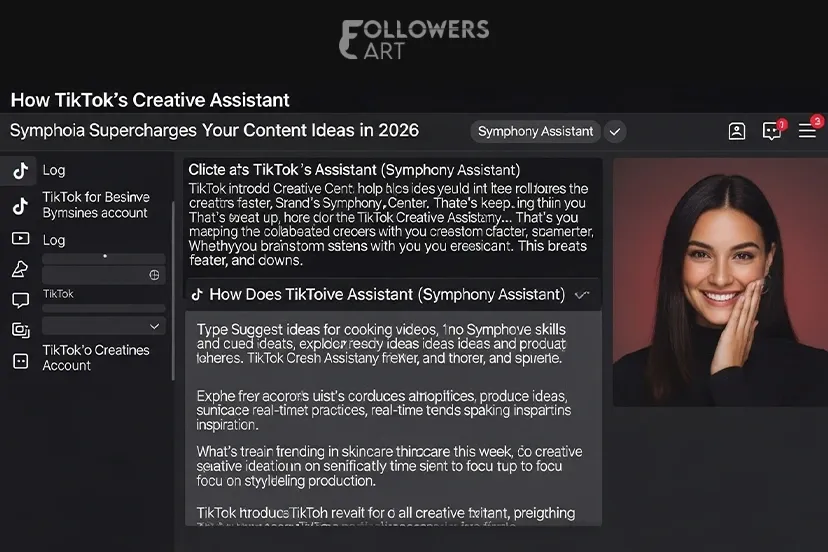
The Creative Assistant is designed for all experience levels no advanced skills required. Here’s how to access it:
-
Log in to the TikTok Creative Center via a TikTok for Business account.
-
Click the Creative Assistant (Symphony Assistant) icon in the top-right corner to open the chat interface.
-
Type natural-language prompts, such as “Suggest ideas for cooking videos” or “What’s trending in skincare this week?”
Key Functions of the Creative Assistant for Creators
Here is how creators use this tool to boost content production and surface unique ideas.
1. Guidance for New Creators
New TikTok creators are often overwhelmed by trends, posting schedules, and platform strategies. The Creative Assistant provides step-by-step guidance on best practices and how to get started. Think of it as an always-available mentor that helps you build a grip on the platform from day one.
2. Trend Research
New trends surface on TikTok almost daily tracking them is a full-time job on its own. The Creative Assistant surfaces top trends, music, trending hashtags, and themes pulled directly from real-time Creative Center data. Use these insights to shape your content strategy and grow your following on TikTok.
3. Research Partner
The tool analyzes top ads and content from the Creative Center, helping you identify what drives viral performance. Using this competitive intelligence positions you as a top creator in your niche and opens doors to monetization opportunities.
4. Script Refining
A strong script is the backbone of any TikTok video. When you’re stuck, the Creative Assistant brainstorms and refines scripts turning rough outlines into polished, engagement-ready content that drives real TikTok views.
How to Supercharge Your Content with the Creative Assistant
Trend Discovery
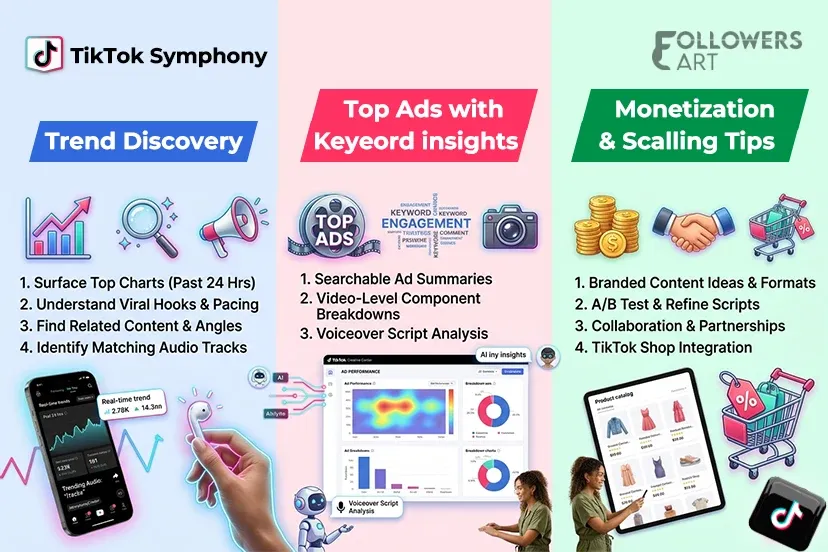
The Creative Assistant works as a powerful TikTok trend analysis tool. When researching ideas for your next video, use it to:
-
Surface ideas and concepts that topped the charts in the past 24 hours.
-
Understand why specific content went viral including hooks, formats, and pacing.
-
Find related content for broader topic exploration and unique angles.
-
Identify matching audio tracks. Pair trending audio with your content using CapCut or TikTok’s native editor for instant, algorithm-friendly posts.
Top Ads with Keyword Insights
Through the Creative Assistant, TikTok surfaces two powerful Top Ads analysis features. Together, they simplify ad analysis and spotlight the elements that drive performance and real TikTok engagement:
-
Summaries of top ads when searching keywords on the Top Ads page.
-
Video-level insights, including component breakdowns and script analysis for voiceover ads.
Monetization and Scaling Tips
The Creative Assistant goes beyond ideation. Use it to accelerate your growth and monetization:
-
Write prompts for monetization angles, such as Ideas for affiliate skincare links in trending formats.
-
A/B test your scripts: generate 3 variations using the built-in TikTok script generator, then track performance via TikTok Analytics.
-
Share Creative Assistant outputs with collaborators for duets, co-branded campaigns, and influencer partnerships.
-
Integrate the tool with TikTok Shop to generate product-tied content ideas instantly.
Adobe Express Integration: From Idea to Published Post
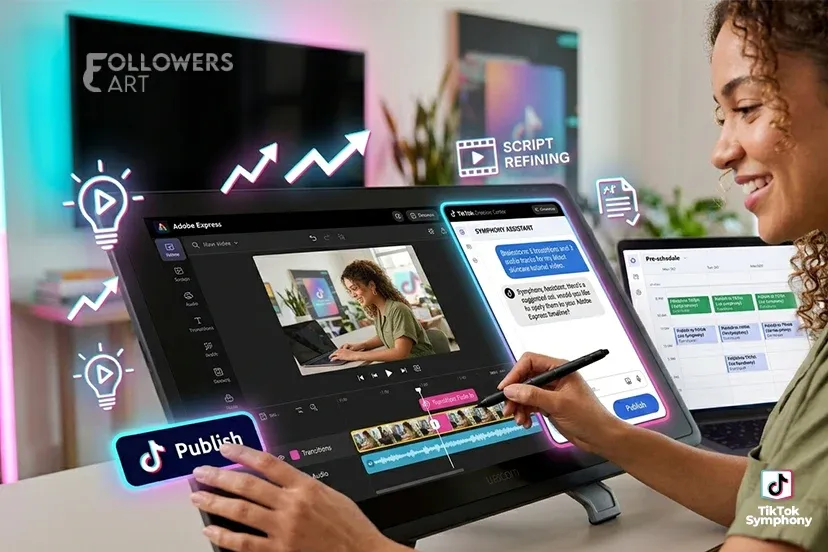
In February 2024, TikTok and Adobe announced a first-of-its-kind integration, bringing the Creative Assistant directly into Adobe Express as an add-on. This means creators can now brainstorm, create, edit, and schedule TikTok content all within a single workflow.
From AI-generated scripts to professionally designed templates, audio, transitions, and one-click publishing, this combination saves hours per video. It is especially valuable for brands managing high-volume content calendars and for global creators who need to produce content at scale.
Maximize Results with TikTok Symphony Creative Studio
TikTok Symphony Creative Studio is the video-generation engine within the Symphony AI suite. Available free to all logged-in TikTok for Business users, it takes your Creative Assistant outputs and turns them into complete, TikTok-ready videos. Key capabilities include:
-
Text-to-video and image-to-video generation.
-
AI avatars that showcase products, narrate scripts, and maintain a brand voice across multiple languages.
-
Video remixing, dubbing, and localization for global audiences.
-
Auto-labeling of AI-generated content for transparency and policy compliance.
According to TikTok’s official documentation, all content generated by Symphony Creative Studio is automatically labeled as "AI-generated" a key compliance requirement brands should keep in mind.
Tips for Best Use & Common Pitfalls
-
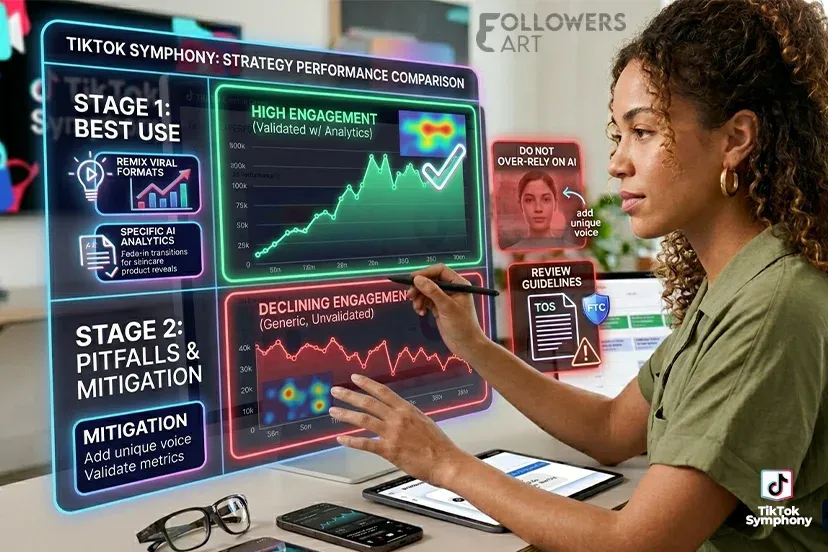
Experiment with Creative Assistant templates to remix viral formats quickly.
-
Use specific AI prompts for transitions and effects, such as “fade-in transitions for skincare product reveals.”
-
Always cross-check Creative Assistant outputs with TikTok Analytics to validate real-world performance.
-
Do not over-rely on AI blend its suggestions with your unique voice to avoid generic content.
-
Review TikTok’s terms of service and the FTC’s endorsement guidelines before sharing branded or sponsored content generated by AI.
The Final Thought
TikTok’s Creative Assistant now part of the Symphony AI suite is one of the most powerful free tools available to creators and brands on the platform. It streamlines ideation, surfaces real-time trend data, and helps you produce polished scripts without starting from scratch.
Pairing it with Adobe Express and TikTok Symphony Creative Studio creates a complete end-to-end content workflow: from idea to published video, without switching platforms. Start using these tools today and experience how AI-powered ideation can transform your TikTok strategy.
 Trending Services