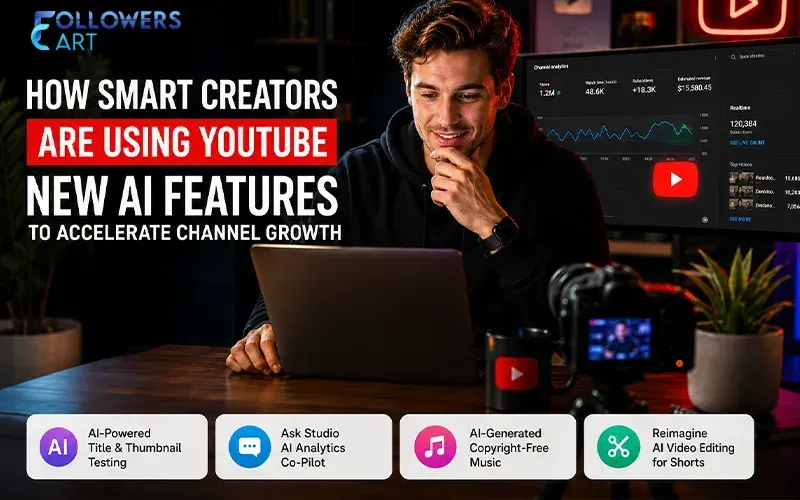
If you have visited YouTube Studio in recent times, then you should be able to feel some changes in the way things are done there. New buttons, better suggestions, and an intelligent chat assistant are just a few things you can see now. This isn't all in your mind. Indeed, YouTube has undergone one of the most significant YouTube AI updates ever, and it is changing the way creators do things.
If you are serious about YouTube channel growth, then you should pay close attention to these features since they will soon become a prerequisite for success on the channel. Here comes the important part: virtually all of these updates point to one ultimate purpose. YouTube doesn't want creators to get lucky once by posting something. Instead, it wants channels to form habits, attract subscribers, and get the audience to come back day after day.
We are going to cover all the new YouTube AI features you should know about and use. You will also discover why YouTube introduced these features, how to implement them, and when the tool ends and the strategy starts.
Why YouTube Is Betting So Heavily on AI Right Now
YouTube's leadership has been unusually direct about this shift. The most recent letter from CEO Neal Mohan to the creator community described creators less as individual video makers and more as full-fledged production studios, with YouTube supplying the infrastructure, distribution, and business models to match.
Part of the push is scale. Millions of channels now use YouTube's AI-powered creator tools every single day, from idea generation to editing to translation. That volume forces YouTube to build smarter systems for separating good content from what the platform itself now calls "AI slop," mass-produced, low-effort uploads that add nothing for viewers.
The other part is behavioral. YouTube has years of data showing that a channel built on a single viral spike rarely turns into a lasting business. The creators who build real, durable channels are the ones viewers return to on purpose, not by accident. So the newest wave of tools is designed to reward exactly that pattern, consistency, and a reason to come back, rather than one lucky upload.
The AI Features Actually Changing How Creators Work
Title and Thumbnail A/B Testing
One of the most useful additions inside YouTube Studio updates is that it lets creators test up to three different titles and YouTube thumbnail combinations on the same video at once. It builds on YouTube's older YouTube thumbnail testing tool, which has already been used millions of times by creators looking to fine-tune their packaging.
What makes this version different is the scoring method. Instead of picking a winner purely on click-through rate, YouTube now measures "Watch Time Share," essentially, which title and thumbnail combination keeps people watching the longest after they click. That one change matters enormously. A thumbnail that's purely clickbait might win on clicks alone, but if it tanks retention, YouTube's system will quietly favor the more honest option instead. This is A/B testing thumbnails and A/B testing titles working together, not in isolation.
This basically means you will not need to guess at what would be a great title. Create two or three titles and then use an AI-driven YouTube title generator to come up with some creative titles that you wouldn’t have ever thought of; plug them into the test and watch what your viewers really respond to. Do this consistently for every video for a month and you will notice certain patterns about how your viewers really react – these patterns are much more reliable than general best practices on a blog post.
Ask Studio: An AI Analytics Co-Pilot
Reading YouTube analytics well is a skill most creators never get formal training in. Ask Studio, YouTube's built-in AI chat assistant, was clearly built to close that gap. Instead of digging through charts and export files, creators can ask plain-language questions, "Why did my last video underperform?" or "Which of my videos are bringing in new subscribers?" and get a direct, contextual answer pulled from the channel's own data.
This matters because creator analytics only help if someone actually understands them. A new creator uploading twice a week will not have the time to learn how to be a data analyst. If your assistant can tell you that there is a drop in retention rate at the 45-second mark, or that a particular type of thumbnail always performs poorly, then the information becomes something actionable the very next day.
AI-Generated Music: Solving the Copyright Headache
Hardly anything annoys a creator more than when a Content ID claim is found on a video that took him or her countless hours to make. Fortunately, some of the newer features of YouTube AI video editing and audio creation solve this problem by providing creators with an opportunity to create an entirely new instrumental track based on the mood and chosen instruments and then use this track in place of the copyrighted one without having to re-upload the whole video and thus losing all of its statistics and the ability to monetize.
It is a great solution because instead of muting a video or making a new one, the creator will be able to create several copyright-free music tracks in just a couple of minutes and pick whichever fits the scene best, removing a recurring source of stress for vloggers, gamers, and tutorial creators alike, and doing it without the awkward silence that used to follow a copyright strike.
Reimagine: AI Video Editing for Shorts
Editing has always been the biggest bottleneck for creators trying to post consistently, and YouTube Shorts is where that bottleneck shows up hardest. YouTube's Shorts AI editing feature, nicknamed Reimagine, lets creators apply AI-assisted edits, effects, and stylistic changes to existing clips without opening a separate editing app.
Why build this now? Because Shorts has become the platform's biggest discovery engine, YouTube wants more creators publishing there without the production time normally required for short-form video editing. A creator testing three visual styles on the same clip can now do it in a fraction of the usual time, then let performance data decide which style to lean into going forward, rather than committing an entire afternoon to a single experimental cut.
Ask YouTube: Search Meets the YouTube Algorithm
The most fundamental shift might be the "Ask YouTube" conversational search system, which uses Google’s Gemini model. Instead of typing specific keyword-based search queries, users can now type out more complex and natural language questions and receive answers compiled from content across the whole YouTube library rather than just a list of videos that include the correct terms.
It shifts the dynamics of the YouTube algorithm. Instead of videos having to include particular terms to be surfaced, videos will now have to properly answer the questions asked by the user. For content creators, video titles and descriptions that answer the questions of their audiences will prove more valuable than those that include irrelevant keywords.
A Quick Example: Turning Data Into Decisions
Now imagine a moderately sized cooking channel whose subscriber base hasn’t changed much over the past several months. Instead of guessing how to fix it, the creator conducts a title/thumbnail test on their next three videos, communicates with Ask Studio to see why a particular old video shot up in popularity, and composes an original royalty-free music track for their latest muted recipe video.
In a matter of weeks, a clear trend appears: videos structured in the form of a solution to a quick, specific problem like "why is my dough not rising" as opposed to the general title "recipe" outperform all other videos in terms of watch time tests. This one revelation, brought about by the use of testing and analytics tools, proves to be more valuable to increase YouTube views than any viral video could ever be.
Why Chasing One Viral Video Is a Losing Strategy
The temptation to view getting viral as an objective may be very great, but what is really true is that there's rarely any guarantee of success from just one spike in views. The people who find their way into the channel via the algorithm are there by accident and don't have any particular reason to visit again. Channels that rely on virality tend to stall out after that spike, sometimes even seeing their numbers drop below where they originally were once the algorithm has left them alone.
That is exactly why YouTube has invested so heavily in the importance of audience retention when it comes to rankings. A channel that keeps bringing the same people back over and over sends stronger signals to the algorithm and is an easier way to grow your YouTube subscribers than simply getting random views, which never turn into anything.
This is one of the reasons behind YouTube's increasing trend towards using an episodic content strategy. The creators are increasingly being told to create videos in series form instead of creating isolated videos, and this includes playlist creation, a format that can hook people into coming back for more episodes. Having a content series strategy provides a clear incentive for people to subscribe to the channel, and the YouTube algorithm has something specific to promote in the form of an episode that follows the one the viewer has just watched.
Turning These Tools Into a Real YouTube Growth Strategy
None of these features work in isolation. The creators seeing the biggest gains combine them into one repeatable YouTube growth strategy:
-
Use Ask Studio weekly to catch retention dips before they become a pattern.
-
Run title and thumbnail tests on every upload, not just your biggest videos.
-
Build one recurring series instead of ten unrelated one-off ideas.
-
Treat Shorts as a discovery funnel that feeds your long-form content.
-
Use AI for tedious editing work and song selection to allow yourself more time for creativity and storytelling.
Channel optimization is no longer a one-off process. It is a continuous process of experimentation, measurement, and improvement. In its implementation, it also happens to be one of the most consistent methods to increase YouTube watch time across your whole channel, since every improvement compounds into the next upload rather than resetting with each new video.
The Honest Limits of AI Tools
It would be misleading to claim that these technologies are perfect. Relying heavily on the AI’s edits may sometimes result in loss of one’s unique writing style, and the improper use of title testers might encourage a writer to use formulaic phrasing rather than write in their own voice. Likewise, the automated music recommendations may become repetitive because of the creator’s lack of changes in mood and instruments.
This does not mean that there is no reason for these tools to be used, but rather means that one should consider them as a draft rather than a final decision. Creators who blend AI efficiency with genuine creative control consistently outperform both the creators ignoring these tools entirely and the ones handing every decision over to them.
Conclusion
In conclusion, YouTube's direction is clear: AI-powered creator tools aren't a passing trend, and channels adapting early are already pulling ahead. But the tools aren't the real advantage on their own; creator growth still comes down to understanding your audience and giving people a genuine reason to return, upload after upload.
Creators who treat AI as a shortcut will burn out chasing tricks that stop working within a season. The ones who treat it as a faster path to better decisions, sharper titles, cleaner edits, smarter analytics, and a content plan built around series rather than one-offs are the ones building channels that are still growing a year from now.
Frequently Asked Questions
What are the most important new YouTube AI features for creators right now?
The features with the biggest practical impact are title and thumbnail A/B testing, the Ask Studio analytics assistant, AI-generated music for avoiding copyright claims, the Reimagine editing tool for Shorts, and Ask YouTube's conversational search. Together, they touch almost every stage of the content process, from planning to publishing to discovery.
How do the YouTube title generator and thumbnail testing feature actually decide a winner?
Rather than ranking purely on clicks, YouTube measures Watch Time Share, how long viewers stay engaged after choosing a particular title and thumbnail combination. This rewards packaging that's accurate and compelling rather than pure clickbait, and the system automatically shifts traffic toward whichever version performs best.
Will relying on AI editing tools make my videos feel generic?
Only if you let AI make every decision unsupervised. Used as a starting point rather than a final product, AI editing tools save time on repetitive tasks while leaving room for your own creative choices, and a quick review pass before publishing keeps your channel's personality intact.
Does Ask YouTube change how I should approach SEO for my videos?
Yes, to an extent. Since search results are now built around natural-language questions rather than exact keyword matches, titles and descriptions written around real viewer questions tend to perform better than those built purely around keyword strings.
Is audience retention still important if most of my content is Shorts?
Very much so. YouTube's ranking systems reward recurring viewers across both long-form and short-form content, and a strong content series strategy on Shorts can feed viewers directly into your longer videos, strengthening both.
Do I need to use every AI feature YouTube offers to see real growth?
No. Most creators see the biggest returns from picking two or three tools that address their specific weak spot, like weak retention or inconsistent uploads, and using those consistently, rather than trying to adopt every new feature at once.
 Trending Services